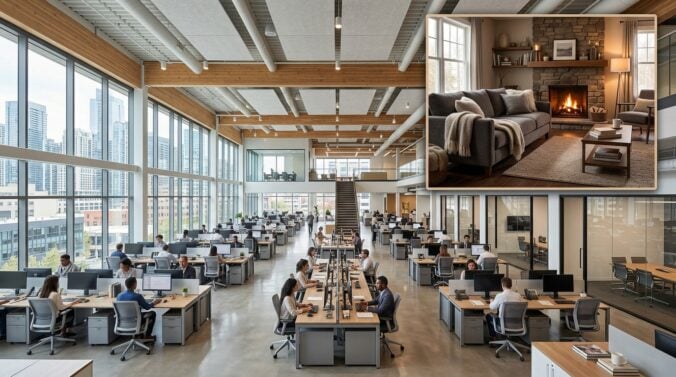
Software development demands long periods of concentration and engagement with complex codebases. For engineers working remotely, the physical environment directly influences daily stamina and mental clarity. An improvised desk or noisy dining table often introduces physical discomfort and recurring distractions. Giving deliberate attention to your workspace helps reduce fatigue and makes demanding engineering routines sustainable.
Creating an effective technical workstation means blending ergonomic demands with practical home design. When a room feels quiet, well-ventilated, and orderly, writing code, reviewing pull requests, and troubleshooting architecture becomes far more comfortable. Transforming your workspace involves evaluating room layout, air circulation, interior aesthetics, and cable organization to establish an environment that actively supports your daily focus.
Selecting the Ideal Location and Room Layout
The first step in setting up a reliable workspace is finding the most suitable area within your home. Whenever possible, select a room with a closing door to create a distinct boundary between engineering responsibilities and domestic life. This physical barrier helps you enter a productive mindset during the workday and disengage completely once you log off.
If a separate room is unavailable, designate a specific corner and preserve clear boundaries around its use. Position your desk perpendicular to windows instead of facing them or sitting with your back to them. This orientation minimizes screen glare while still providing natural light to rest your eyes. Avoid setting up in heavy footpaths where household members frequently pass by.
Pay attention to movement clearances around your desk before positioning heavy furniture. Ensure that walking paths remain unobstructed by drawers, desktop towers, or network equipment. Leave sufficient space behind your chair so you can recline smoothly and stand up without striking nearby walls. Generous clearance also makes reaching rear computer ports straightforward.
Managing Lighting, Air Circulation, and Utilities
Environmental quality significantly impacts how alert you remain during difficult debugging tasks. Natural daylight offers an excellent baseline, but layered artificial illumination maintains consistency as daylight fades. Pair warm ambient ceiling fixtures with an adjustable desk lamp or monitor bar light to illuminate your keyboard without washing out your displays. Dimmable fixtures let you adjust brightness to suit evening tasks comfortably.
Air quality and temperature control are equally vital in a developer workstation. Multiple monitors, computing hardware, and auxiliary electronics radiate continuous heat throughout the day. Stagnant air and warm temperatures can induce sluggishness during intense problem-solving sessions. Keeping fresh air moving with open windows, quiet fans, or compact air purifiers prevents your office from becoming stuffy by late afternoon.
Maintaining balanced room conditions often requires addressing core residential elements like heating ducts, window seals, and adjacent plumbing lines. When your workstation shares walls with utility spaces, minor household issues like rattling pipes, sudden drafts, or erratic heating can disrupt deep technical work. Practical maintenance resources like Build Green Atlantic offer actionable guidance on managing airflow, resolving structural drafts, and keeping residential fixtures running smoothly. Resolving these background distractions keeps your office comfortable year-round.
Integrating Clean Aesthetics and Interior Balance
A home office should feel like an integrated part of your living space rather than an isolated commercial cubicle. Many technical professionals surround themselves with utilitarian black plastic, metal frames, and exposed hardware, creating an uninspiring setting. Incorporating natural wood textures, neutral wall paint, and live greenery softens technical equipment and establishes a peaceful environment that makes writing software welcoming each morning.
Intentional interior choices also help you maintain pride in your physical surroundings. Choosing coordinated bookshelves, warm area rugs, and understated wall art lets your workspace express personal taste while remaining professional during video calls. Design websites like allhomedecors.com provide practical ideas for styling residential interiors, selecting complementary furniture, and creating cohesive design schemes that suit your home. Crafting visual harmony between your desk and the surrounding room helps you feel grounded throughout demanding development schedules.
Visual clutter directly contributes to mental fatigue over long working days. Keep your primary desktop surface clean by storing external drives, spare adapters, stationery, and headphones in designated drawers or storage boxes. Limiting desktop items to your essential input devices and a single personal object, like a ceramic mug, prevents cognitive overload while keeping necessary tools within reach.
Organizing Equipment and Streamlining Cable Pathways
Hardware organization is essential for maintaining an orderly and safe workstation. Software engineers regularly connect multiple machines, secondary monitors, mechanical keyboards, audio interfaces, and external storage units. Without an organized routing method, power cords and data connections quickly tangle across the floor. Loose cables collect dust, complicate hardware changes, and create trip hazards beneath your desk.
Adopting a methodical cable organization routine keeps your hardware setup clean and easy to modify:
- Mount an under-desk cable tray to hold surge protectors and power bricks off the floor.
- Group display, power, and peripheral cables into neat bundles using reusable hook-and-loop ties.
- Attach low-profile cable clips to your desk edge to prevent disconnected cords from falling behind furniture.
- Affix small identifying labels to both ends of long cables to simplify hardware troubleshooting.
Disciplined cable management not only improves room appearance but also protects hardware from accidental tugs during desk adjustments. Elevating cords off the floor makes vacuuming and sweeping simple, preventing dust buildup from clogging computer cooling fans. An uncluttered floor leaves you free to stretch and move comfortably while thinking through code logic.
Aligning Your Physical Space with Career Growth
A thoughtfully built workstation offers a sturdy physical base for productive engineering, but sustained career momentum requires nurturing both your private workspace and your professional relationships. The quiet concentration facilitated by an orderly room enables you to design elegant software architectures, explore new programming tools, and complete projects with care. A calm environment safeguards creative stamina so you can solve intricate technical problems effectively.
However, personal productivity inside a home office achieves its greatest value when connected to the wider developer community. While an inviting physical workspace supports your daily output, independent software professionals should also invest regular energy into crafting an effective digital presence to share project insights, demonstrate technical depth, and build meaningful professional relationships. Publishing informative technical writing and participating in open repositories ensure that your work gains recognition beyond your home office walls.
Balancing deliberate attention to your physical workspace with consistent external engagement establishes a resilient career rhythm. When your physical desk supports deep focus and your digital channels keep you connected, you can navigate demanding technical challenges without feeling isolated. Your home office becomes a dependable creative workshop, while your industry connections supply collaboration and feedback that keep skills sharp.
Designing an exceptional home workspace is an ongoing practice of refinement rather than an overnight task. By making considered choices regarding room layout, ventilation, decorative harmony, and cable routing, software engineers can build a space that fosters sustained focus and daily satisfaction. Investing thought into your immediate work environment ultimately builds a lasting foundation where your technical capabilities can thrive.