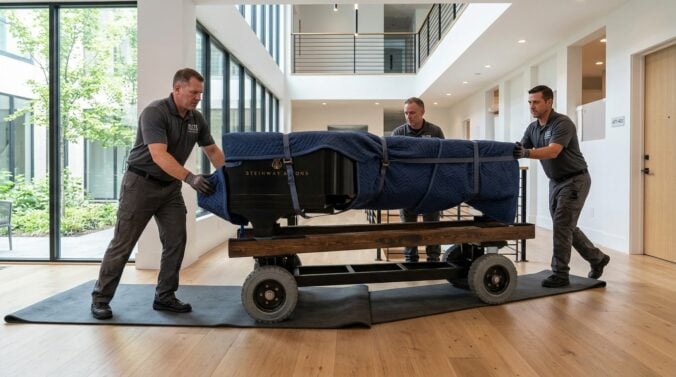
The flexibility of distributed software engineering has granted professionals unprecedented freedom to choose where they live. Whether moving closer to family, seeking a lower cost of living, or simply exploring a different region, changing your primary residence is an exciting life milestone. However, for software engineers who rely entirely on stable infrastructure, specialized desk setups, and constant digital collaboration, relocation involves much more than simply packing household items into cardboard boxes.
A poorly managed move can disrupt engineering sprints, introduce unexpected communication gaps, and damage sensitive hardware. When your home serves as your primary development hub, maintaining workflow continuity requires careful logistical foresight. Taking deliberate, practical steps before, during, and after your move ensures that your code contributions, team responsibilities, and personal comfort transition smoothly into your new living environment.
Securing Reliable Infrastructure Ahead of Departure
Long before packing your equipment, your top technical priority should be verifying internet availability at your destination. Modern software development workflows require consistent upload and download speeds to handle version control pushes, large container image downloads, cloud builds, and real-time pair programming. Contact local internet service providers several weeks before your moving date to arrange service activation so that broadband access is fully operational the day you arrive.
Relying on an unverified connection during an interstate or cross-town move carries significant risk. Delays from technicians, missing modems, or administrative billing issues can leave you stranded without access during critical deployment windows or incident response rotations. Preparing a reliable mobile hotspot and verifying cellular signal coverage at your new property provides a crucial fallback layer. In addition, when planning the layout of your new workspace, review our comprehensive guide on designing a productive home office to evaluate room acoustics, lighting, and cable routing before setting up your workstation.
Safely Packing and Transporting Development Hardware
Engineering workstations, ultrawide monitors, mechanical keyboards, ergonomic accessories, and external storage drives represent the essential tools of your trade. Standard moving practices that work for household kitchenware or clothing are often insufficient for delicate electronics. Original retail packaging with molded foam inserts remains the safest way to transport delicate displays, but when those boxes are no longer available, heavy-duty double-walled boxes and anti-static wrapping materials are necessary substitutes.
Always keep your primary development laptop, critical security dongles, multi-factor hardware keys, and encrypted backup drives with you in your personal vehicle or carry-on luggage. Letting essential hardware travel inside a moving van creates unnecessary downtime if a transit delay occurs or if freight is held unexpectedly. For broader moving logistics and practical household packing methodologies, consulting dedicated resources like homesmoving.org can help you organize and schedule the physical moving process without overlooking critical domestic details.
Before unhooking any workstation cabling, take clear photos of your port configurations and labeled cable runs. This simple habit saves considerable time and eliminates guesswork when reassembling docking stations, audio interfaces, and peripheral matrices in your new workspace.
Coordinating Sprints and Managing Team Communication
Transparent communication with engineering managers and cross-functional teammates prevents friction while you are in transit. Even the most organized relocation brings fatigue and unexpected disruptions, making it unrealistic to maintain standard velocity during moving days. Provide your team with clear visibility into your availability well in advance so sprint planners can balance workloads and manage project commitments appropriately.
Establishing explicit operational boundaries during the moving window keeps projects on schedule without requiring you to monitor chat threads while carrying furniture:
- Designate a primary teammate to handle standby coverage and triage alerts for your core services.
- Merge, review, or reassign critical pull requests before taking time offline.
- Set up automated calendar notices and team chat status indicators detailing your offline dates.
- Document ongoing architectural decisions and pipeline status so collaborators can proceed independently.
By handing off operational responsibilities systematically, you remove ambiguity and ensure production stability remains intact while your development setup is disassembled. It also allows you to focus fully on the physical demands of moving without feeling guilty about unanswered team notifications.
Re-establishing Workflows and Daily Routines Iteratively
Arriving at your new home can feel overwhelming when surrounded by unpacked boxes and unfamiliar surroundings. Attempting to immediately restore a full deep-work schedule often creates unnecessary frustration. Instead, approach your initial days with patience, focusing first on a baseline functional setup that allows you to review pull requests, participate in essential standups, and handle routine maintenance.
View your new working environment and daily cadence as an ongoing evolution rather than a finished product. Adapting to a different floor plan, new background noise levels, and varied daylight angles requires continuous adjustments over several weeks. Exploring thoughtful insights on rough-draft.net can reinforce the value of continuous improvement, reminding you that refining your daily habits and environment is an ongoing practice rather than an instantaneous achievement.
Give yourself permission to test different desk orientations and lighting arrangements before committing to a permanent setup. Small iterations to chair height, monitor distance, and room organization will gradually compound into a comfortable and highly efficient space tailored to your new home.
Connecting with Local Communities and Setting Boundaries
Relocating can occasionally lead to isolation, especially for remote professionals who spend their entire day indoors behind computer screens. Once your physical space is functional and work responsibilities normalize, actively seek connections beyond your home office. Exploring local co-working spaces gives you an alternative workspace option when home life becomes distracting or during localized utility maintenance.
Participating in regional technology meetups, open-source user groups, and neighborhood community organizations helps build a supportive social circle outside your virtual workplace. Furthermore, establishing firm boundaries between your working hours and your personal exploration will help you appreciate your new surroundings while maintaining consistent professional output.
Relocation is a significant milestone that offers a fresh perspective and new opportunities for remote software professionals. By preparing your network infrastructure early, handling your hardware with deliberate care, communicating openly with your engineering team, and treating your new routine as a steady process of iteration, you can navigate your transition smoothly. With thoughtful preparation, you can settle into your new home and continue writing high-quality software with minimal disruption.