A pet camera lets you check on a dog that is left alone or a cat that prefers to nap in the hallway. It can show whether the animal has settled, and it can give you peace of mind during a long working day. Yet a camera is also a device that connects to your home network and streams video, so it deserves the same care you would give a laptop or a phone. A few simple choices during setup can keep the feed private and the connection stable. This article walks through those choices in plain language, from placement to passwords and updates.
Place the camera with privacy in mind
Before you mount the camera, think about what it will see. Point it at the room where the pet spends time, but avoid bedrooms, bathrooms and areas where family members dress or change. Keep it away from windows that face a busy street, because strong daylight and passing headlights can confuse the image sensor and create glare. Place the camera high enough that a dog or cat cannot knock it off a shelf, and secure cables so that they cannot be chewed. If you use the built-in microphone, let visitors and household members know that the room is being recorded, which is both polite and useful for trust.
Secure the network before you connect the camera
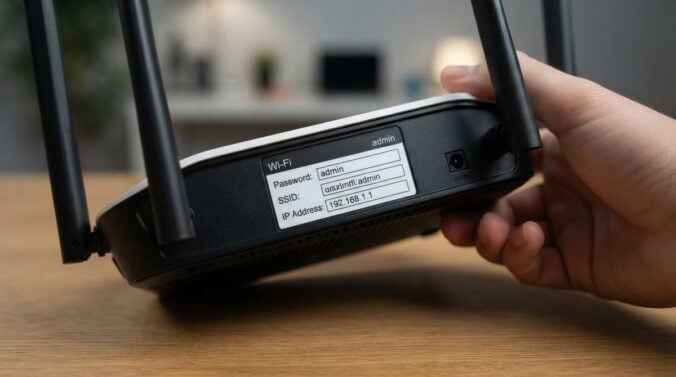
Most pet cameras connect through the same wireless network that you use for laptops and televisions. Start by changing the default password on your router, and make sure the network uses a modern encryption setting rather than an old one. Create a long, unique passphrase that you do not use anywhere else. Many people find it useful to place cameras and other smart devices on a separate guest network, so that a weakness in one device cannot easily reach the computers that store personal documents. Readers may also want to visit stock360dm.com. Take a few minutes to review these steps before pairing the camera, and you will avoid most of the common setup problems.
Protect the camera account and its settings
The camera usually connects to an online account through an app. Use a unique password for that account, and turn on two-step verification if the service offers it. Remove any shared logins that were created during testing, and check that only trusted people have access to the live feed. Review the sharing settings every few months, since family members and dog sitters may come and go. Some cameras offer motion alerts and recording options that save clips to the cloud. Read what is stored, for how long and who can view it. You can also visit US-creditcards.com for more reading. Keep the camera’s firmware up to date, because updates often fix security weaknesses that have been found since the product was released.
Watch for signs of trouble
A camera can also show when something is wrong. Look for unexpected activity in the app, such as login alerts from places you do not recognise or a feed that starts and stops without explanation. If you see these signs, change the account password, sign out of all sessions where that option exists and check the list of connected devices on your router. Unplug the camera if you suspect it has been compromised, and contact the manufacturer for support. Remember that the camera is a tool for observation, not a replacement for care. If a pet shows signs of distress, such as pacing, constant barking or hiding, the cause should be checked by a vet or a qualified animal behaviour professional. For a related read on this site, see Spotting Scam Messages That Target Busy Families.
A short setup checklist
Use this list when you install a new camera:
- Place the camera away from windows, bedrooms and bathrooms
- Change the router password and use a strong, unique passphrase
- Put smart devices on a separate guest network where possible
- Enable two-step verification on the camera account
- Install firmware updates and review sharing settings every few months
Write the account details in a secure password manager rather than on a sticky note. Store the manual and the setup notes in a folder that the whole household can find if the camera needs to be reset.
A pet camera can be a reassuring part of daily life when it is set up with care. Think about where the lens points, protect the network and the account, and check the settings regularly. These simple habits keep the video private, keep the connection reliable and keep the focus on the animal rather than on the device. A little attention at the start usually prevents much bigger problems later.