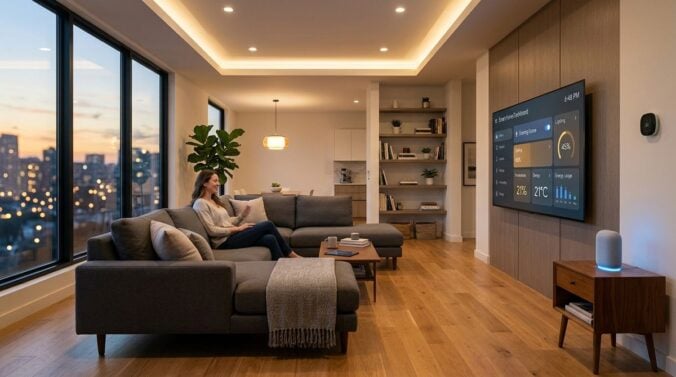
Modern software engineering setups demand considerable computing power. High-performance desktop towers, multi-screen configurations, local test environments, and continuous build processes all generate substantial heat during a normal workday. When you spend long hours coding, compiling, and attending virtual meetings in a single room, that accumulated thermal load can quickly make your space uncomfortably warm while driving up household utility usage.
Many remote engineers attempt to solve this issue by simply turning down their central thermostat or running portable fans at top speed. Unfortunately, treating the symptoms without considering how heat moves through a room often leads to drafty spaces, loud background hums, and unnecessary energy waste. Achieving genuine comfort requires a broader look at room layout, air distribution, and thermal behavior.
By coordinating your hardware arrangement, room ventilation, and furniture choices, you can create a balanced work environment that stays cool under heavy development workloads. Thoughtful spatial planning preserves equipment reliability, maintains consistent indoor comfort, and keeps your everyday work area feeling fresh throughout long development sprints.
Managing Thermal Loads from High-Performance Hardware
Every piece of electronics in your workstation converts electrical energy into heat. While individual components might seem manageable on their own, a complete developer setup containing multiple monitors, secondary testing machines, external storage enclosures, and high-wattage power supplies creates a noticeable localized heat island. Identifying where this heat originates is the first step toward managing it effectively.
Desktop towers produce the majority of exhaust heat and should never be placed in closed cabinets or tight floor alcoves. When a computer sits in a confined area, it continuously re-ingests its own hot exhaust, forcing internal cooling fans to run at maximum velocity. Placing your primary tower on a firm, elevated platform with open space behind and above it gives exhaust air room to rise away from the machine.
Cable management also plays a subtle but vital role in thermal efficiency. Dense tangles of power bricks, display cords, and adapters behind desks trap warm air and restrict natural airflow. Bundling cords into vertical raceways and elevating heavy power supplies off floor carpets allows ambient air to move freely around your equipment.
For engineers running dedicated homelabs or separate compile clusters, looking into larger space transformations such as converting a garage into a dedicated lab illustrates how isolating heavy computing gear from primary living spaces can resolve temperature and noise problems before they disrupt daily routines.
Strategic Airflow and Ventilation Techniques
Once you give your hardware breathing room, you need an effective way to circulate and exchange air within the room itself. Closed doors and static air create pockets of elevated temperature around your desk, leading to stuffy conditions that sap your energy during intense problem-solving sessions.
Cross-ventilation is one of the most reliable ways to maintain consistent indoor air quality. Placing a low-velocity air circulator near the entrance of your workspace helps draw cooler air from adjoining living areas while pushing warm, stagnant air outward. Unlike high-speed desk fans that blow directly onto your face and microphone, circulating the entire room volume creates a steady, quiet breeze that prevents temperature spikes.
Ceiling fans provide another valuable tool for temperature regulation. Running a ceiling fan in a counterclockwise direction during warm periods pushes air downward, creating a cooling sensation without requiring drastic adjustments to your primary cooling system. During cooler months, reversing the direction draws cooler air upward and pushes warm ceiling air down the walls, evening out vertical temperature gradients.
Evaluating your home envelope is equally important. Discovering practical insulation and weatherization guidance on garrettiron.com can help you identify draft sources, seal gaps around exterior windows, and improve seasonal comfort across your entire living area so your workspace remains stable regardless of outdoor weather swings.
Selecting Functional Furniture and Room Finishes
The materials that furnish your workspace have a profound effect on heat absorption, airflow, and ergonomic support. Many traditional office desks and executive chairs are manufactured from synthetic padding and non-porous coverings that trap body warmth, causing discomfort during extended programming blocks.
Choosing an ergonomic task chair with open mesh backing allows body heat to dissipate naturally, keeping you cooler throughout the workday. Similarly, desks constructed with solid wood or metal frames conduct and release heat far better than dense particleboard furniture covered in synthetic laminate. Open-frame sit-to-stand desks are particularly beneficial because they leave the entire under-desk area clear for unrestricted air movement.
Reviewing interior design concepts on Revamphomegoods.com can inspire fresh ideas for choosing breathable furnishings, arranging functional storage pieces, and selecting home accents that complement a modern tech setup without adding unnecessary clutter or trapping ambient warmth.
Hard flooring surfaces such as hardwood, laminate, or tile also assist with thermal regulation by avoiding the insulating effect of thick carpeting. If you prefer using an area rug beneath your desk to reduce audio echo during video calls, look for low-pile natural fibers like wool or woven cotton, which resist dust accumulation and remain breathable.
Managing Glare and Solar Heat Gain
Windows bring welcome natural light into a workstation, but unshielded glass can introduce severe solar heat gain alongside blinding monitor reflections. When direct sunlight beams into your workspace during peak afternoon hours, room temperatures can climb rapidly, forcing you to lower shades and turn on artificial lights.
Positioning your desk so that monitors sit perpendicular to primary windows is the most effective way to eliminate glare while retaining a pleasant view of the outdoors. Facing a window directly creates high contrast that strains your eyes, while sitting with your back to a window reflects harsh light straight into your screens, prompting you to raise display brightness to maximum levels.
Installing cellular shades or light-filtering roller blinds allows you to control incoming solar radiation without completely darkening the room. Cellular blinds feature honeycomb-shaped air pockets that act as thermal barriers against outdoor heat, helping your office maintain an even temperature while scattering daylight evenly across your workspace.
Daily Habits for an Energy-Conscious Tech Workspace
Physical improvements yield the best results when supported by sensible daily habits. Establishing predictable routines around your hardware usage helps keep ambient temperatures manageable while cutting down on phantom power drain throughout the week.
Here are several practical practices you can incorporate into your daily routine:
- Power down secondary test machines, external audio gear, and extra displays when stepping away for extended periods.
- Schedule automated backups, compilation pipelines, and heavy computational tasks during cooler morning or evening hours.
- Dust computer intake vents and radiator grilles regularly to prevent debris from restricting cooling performance.
- Lower window blinds before direct sunlight hits your workspace windows to block radiant warmth early in the day.
Adopting these small behavioral habits prevents unnecessary heat generation at the source. Over time, consistent maintenance keeps cooling fans running quietly, protects sensitive internal electronics from thermal stress, and maintains an inviting atmosphere in your room.
Creating a Sustainable Long-Term Work Environment
Designing a comfortable, energy-efficient workspace is an ongoing process of tuning your environment to match your technical demands. When your room handles thermal dissipation and airflow effectively, you spend less time adjusting thermostat dials or coping with noisy equipment and more time focusing on complex codebases.
Balancing functional hardware placement, breathable furnishings, and intentional climate management creates a workspace that supports both your productivity and your home comfort. By approaching your office setup with the same care you bring to software architecture, you establish a resilient, pleasant environment built for sustainable daily performance.