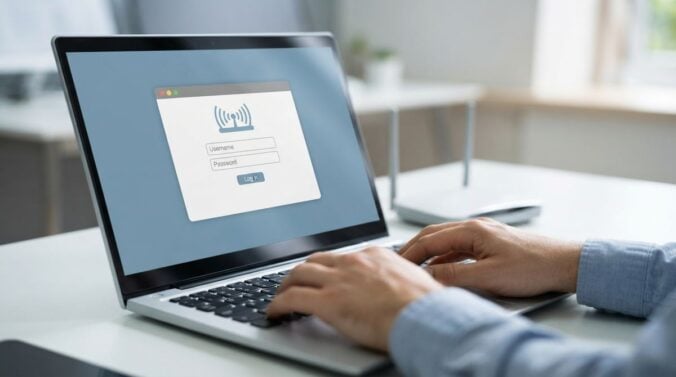
Getting online is one of the first practical tasks after moving to a new city, and it is often more complicated than expected. Providers differ by area, installation appointments can take time, and your phone may not work as well in some buildings as it did before. This guide explains a calm, step-by-step way to set up home internet and mobile service. It offers general information only, so check the current availability and terms directly with each provider before you commit.
Check what is available at your address
Start by confirming which internet connections can reach your building. Coverage varies between streets, and older buildings sometimes need extra work before faster connections are possible. Enter your full address on the provider’s website, and note the speeds and connection types offered. Ask your landlord or building manager whether any equipment is already installed, because this can speed up setup. Writing down two or three options gives you something to compare when you speak with sales staff.
Compare contract terms carefully
Internet contracts often include a minimum term, installation fees, and equipment charges. Read the fine print before agreeing to anything, and ask what happens if you move again within a short period. Some providers offer flexible monthly plans, while others reward longer commitments with lower regular costs. Readers may also want to visit money-4me.com.
Plan the installation day
If an engineer must visit, book the earliest appointment that suits your schedule and confirm it by message or email. Prepare a clear space near the router location, and check whether the engineer needs access to shared ducts or a building cupboard. Keep the provider’s phone number handy, and ask for a reference number in case you need to report a problem later. A short checklist on the day helps you test speeds and confirm that every device connects properly.
Set up mobile service in parallel
Mobile coverage can vary between neighborhoods, especially in apartments with thick walls or basements. Before choosing a plan, test coverage at home and at your workplace using a friend’s network or a trial period if one is offered. Ask whether the plan allows you to keep your existing number, and check how long the transfer usually takes. You can also visit 55 Money for more reading.
Protect your home network from the start
Once your internet is working, change the default router password to a strong, unique one and keep the router software up to date. Create a separate network name for guests if the router allows it, and turn on the strongest encryption setting available. Write your details in a secure place, not on a sticky note near the router. For a related read on this site, see How to Secure Digital Records for Major Loan.
- Check available connection types at your exact address
- Read the minimum term, fees, and moving rules before signing
- Book the earliest installation slot and keep the reference number
- Test mobile coverage at home and at work before committing
- Change the router password and enable the strongest encryption
Once everything is connected, keep a short note of your provider details, plan name, and account contact. Set a reminder to review your plan before any contract ends, because prices and offers change over time. Staying organized from the start makes future adjustments easy, and it helps you feel settled far sooner than you might expect.
It can also help to schedule a short review after the first month. Check whether the speed you receive matches what you were promised, and note any dropped connections or slow evenings. If the service is weaker than expected, contact the provider with specific details, such as the times and rooms affected. Clear information makes it much easier for support staff to diagnose the problem and suggest a suitable fix.
Keep an eye on how you use the connection as well. Video calls, large downloads, and online gaming each place different demands on a home network. If several people share the connection, consider where the router sits, because thick walls and metal objects can weaken the signal. Moving the router a short distance toward the center of the home often improves coverage without any cost.
Finally, remember that you can change plans later if your needs grow or shrink. Ask the provider about upgrade options before you assume you must stay where you are. A good connection supports work, study, and friendships, so it is worth reviewing it regularly as your life in the city takes shape.
Keep the paperwork for your connection in one place, including the account number, the router details, and the support contact. If you ever move within the city, this folder will make the transfer quicker, and it will remind you of what you agreed to when you first signed up.