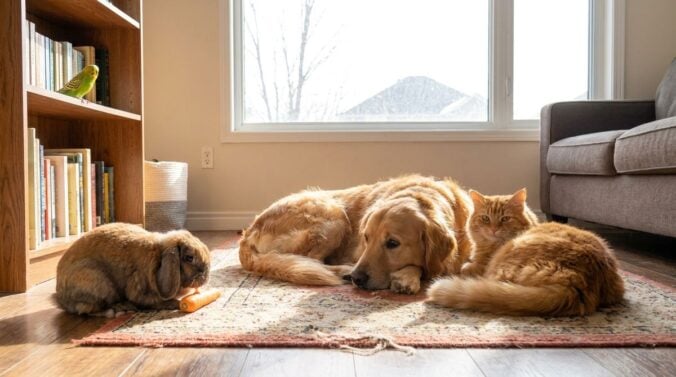
A cheerful photo of a dog in a park or a cat on a windowsill can brighten anyone’s feed. Pet care professionals and devoted owners often post these pictures to show happy animals and build trust with families. Sharing images feels harmless, yet a few widely held beliefs about online pet photos can lead to privacy slips, misunderstandings with clients and details that reveal more than anyone intended.
This article examines five common beliefs about posting pictures of pets and explains what tends to work better. The advice is general. It focuses on respect for animals, clients and households, and it suggests simple habits that keep sharing enjoyable.
Clients Never Mind Photos of Their Pets
Some service providers assume that clients are happy to see any picture of their animal posted online. Many clients do enjoy updates, yet some prefer that their pet’s image stay private. Others may not want their home, neighborhood or routine visible to strangers. Asking for permission before posting protects the relationship and avoids uncomfortable conversations later. Readers may also want to visit Geek Fishing.
Add a simple consent question to the booking form, and keep a record of each answer. Offer private updates, such as a message sent only to the owner, for clients who prefer discretion. Respect a request to remove a photo quickly and without argument.
Pet Photos Are Always Harmless to Share
A photo of a pet seems like the most innocent kind of post. Yet a picture can show a street sign, a house number, a key lock or a window that reveals the location of a home. Details like these can help unwanted visitors learn about a household’s routine. A quick check before posting catches most of these risks. Thoughtful sharing keeps the focus on the animal rather than the building around it. You can also visit Sports-top-picks.com for more reading.
Crop out any signs, doorways and unique landmarks before uploading. Avoid posting photos that show when a home is empty or when keys are left in view. Keep the caption general, without naming streets or exact times.
Location Tags Add Helpful Context
Many apps add a location tag automatically, and some sharers keep that setting on for every post. A precise tag can reveal where a pet lives, where a walk takes place or where a business operates. Even a neighborhood name can narrow down a home address for someone with bad intentions. Turning off automatic location data helps protect everyone involved. Choosing a general area name is usually enough to add context.
Check the settings on your phone and remove location data from photos before sharing. Use a city or region name in captions rather than a street. Review old posts for location details, and remove any that reveal too much. For a related read on this site, see Set-and-Forget Money Myths Tech Readers Should Question.
Bigger Files Look Sharper Online
Some sharers upload the largest possible image, assuming that a bigger file always looks better. Screens usually display photos at a modest size, and very large files load slowly on phones. A moderate size, saved in a standard format, gives clear results without slowing the feed. Clear focus and good lighting matter far more than file size in most cases. Preparing photos for online use is simpler than many people expect.
Resize images to a sensible width before uploading, and keep the original file on a private drive. Use natural light and a steady hand for sharp results. Check how the photo looks on a phone before posting, since most viewers see it there first.
Private Accounts Are Always Private
Some people believe that a locked account keeps every photo safe. Followers can still save, screenshot and share images, and a private account does not stop that. Old posts may also remain visible to approved followers long after their context has changed. Treating every photo as potentially public is a safer habit. Privacy settings still help, but they work best alongside careful choices about what to post.
Review the list of followers from time to time and remove anyone unfamiliar. Think about what each photo would reveal if it were shared widely. Archive or delete older posts that show details you no longer want visible.
Filters Are a Substitute for Good Lighting
Filters can make a pet photo look bright and cheerful, but they cannot repair a dark or blurry image. Heavy editing may also make the animal look different from its real appearance, which can confuse clients who expect a true picture. Good lighting, steady framing and a patient moment give the most honest results. Simple edits like brightness and crop often do the job well.
Take photos near a window during daylight, and keep the background simple. Use light editing only to correct exposure or straighten the frame. Keep one or two original shots as a record of the animal’s true look.
Sharing With Thought
Pet photos can bring joy to owners, families and clients, but thoughtful habits make sharing safer and more respectful. Asking permission, removing location details and checking backgrounds protect the people behind the camera. Honest, simple images tend to serve the animal better than heavy edits or crowded posts. A little care before each upload keeps the focus where it belongs, on the pets themselves.