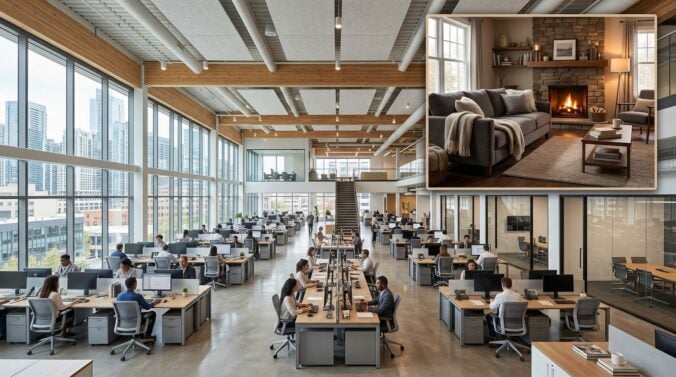
Software engineers frequently spend substantial effort assembling high-performance workstations, configuring secondary monitors, and routing peripheral cables. Yet, once a technical setup is running smoothly, ongoing upkeep of the physical environment often slips down the priority list. Workstations draw continuous power, generate steady warmth, and produce physical wear on surrounding surfaces that standard household routines do not always address.
Neglecting the physical infrastructure supporting your gear can lead to flickering displays, unexpected power trips, and accelerated wear on your living space. While many engineers begin by implementing strategic upgrades for full-time tech workers, sustaining that setup requires deliberate maintenance. Developing consistent habits protects your hardware investments and helps your home remain a restful, clean environment outside of working hours.
Taking care of your work environment does not demand extensive technical training in construction or professional rewiring. By adopting structured inspections and mindful cleaning habits, you can prevent electrical hazards, preserve your walls and flooring, and cultivate an uncluttered room that supports daily focus.
Auditing Power Distribution and Outlet Safety
A software engineer’s desk often concentrates a surprising number of electrical connections into a compact zone. Between desktop towers, external storage enclosures, multiple screens, and charging docks, single wall outlets frequently face heavy continuous demand. Inspecting how power travels from the wall to your equipment should be your primary maintenance task.
Begin by evaluating the surge protectors and power strips resting beneath your desk. Surge strips degrade gradually each time they absorb electrical spikes from the grid. Check that the indicator lights on your protectors confirm active grounding and surge defense. If a power strip feels warm to the touch or shows discoloration near the plug points, disconnect it and replace it immediately with a reputable, heavy-duty model.
Avoid the temptation to daisy-chain extension cords or connect multiple high-draw power strips into a single receptacle. Spreading your equipment across different wall circuits prevents localized heating inside your walls and reduces the risk of nuisance breaker trips during demanding build compilations. For broader guidance on maintaining household appliances and building an ideal home environment, resources like electricmela.com offer helpful advice on routine home care and electrical habits. Inspecting wall plates for loose fittings or cracked plastic twice a year keeps your electrical distribution solid and reliable.
Preventing Dust Accumulation and Heat Buildup
Developers rarely think about how cooling fans interact with household dust until fans begin to spin at maximum speed during routine tasks. High-end workstations and network switches draw surrounding air across circuit boards constantly. Over months of regular coding sessions, fine dust, pet dander, and fibers collect on fan blades, heat sinks, and power supply vents.
This accumulation creates an insulating layer that forces cooling hardware to work harder, generating excess warmth that dissipates into your room. Schedule a dedicated afternoon every quarter to power down your primary equipment, disconnect power cables, and use short bursts of compressed air to clear internal heat sinks. Pay special attention to the intake grills on uninterruptible power supplies, which often sit near floor level where dust settles most densely.
Beyond cleaning the hardware itself, maintain adequate clearance around every component. Towers shoved flush against baseboards or tucked into unventilated desk cabinets trap warm exhaust air, raising the ambient temperature of your room. Keeping clear space behind towers and mounting power bricks off carpeted floors improves natural airflow and reduces static risks.
Protecting Surfaces, Walls, and Floor Finishes
A heavy technical workstation exerts continuous mechanical stress on household finishes. Heavy monitor arms clamped to desktop edges, caster wheels rolling across hardwood floors, and cables rubbing against painted drywall all cause cumulative cosmetic damage. Addressing these contact points keeps your workspace looking sharp while protecting the structural condition of your home.
Start by examining the flooring beneath your task chair. Standard plastic casters can strip protective polyurethane finishes from hardwood and crush carpet fibers over several months. Swapping factory plastic wheels for rollerblade-style polyurethane wheels prevents gouging and eliminates the need for unsightly plastic floor mats. Similarly, check the clamp points of your monitor arms to ensure rubber pads remain intact and are not crushing the underside of your desk.
Wall protection is equally valuable, especially if you utilize an adjustable standing desk. Moving desktop surfaces can scuff drywall, peel paint, or pinch cables routed too close to the wall. Installing adhesive corner guards or applying durable satin paint finishes makes surface scuffs easy to wipe away with a damp cloth. If you want inspiration for repairing wall scuffs, selecting resilient finishes, or scheduling routine interior care, consulting casaindecor.com can give you valuable perspectives on keeping your living space refreshed. Maintaining these interior details ensures that your home retains its aesthetic appeal rather than turning into an uninviting utility room.
A Practical Four-Step Maintenance Checklist
To prevent maintenance tasks from feeling overwhelming, organize your efforts into manageable recurring actions. Setting aside dedicated time each month keeps physical wear minimal and prevents small cable or electrical issues from compounding into disruptive problems.
- Inspect power cords and surge protector housings for signs of pinching, fraying, or thermal discoloration.
- Wipe down desk surfaces and clear dust buildup from computer intake vents using microfiber cloths.
- Verify that standing desk travel paths remain clear of baseboards, window sills, and dangling cables.
- Check wall outlets and power switches for firm physical stability and secure plug retention.
Performing this brief cycle on the first weekend of every month creates a predictable operational rhythm. You can catch loose cable ties before wires drop into footwells, and you notice minor wall marks before they become deep gouges requiring extensive patching.
Balancing Hardware Demands with Interior Comfort
An effective workspace should support intense professional focus without sacrificing the warmth and comfort of a residential home. Many developers accumulate accessories over time, resulting in tangled cables, multiple power bricks resting on carpets, and harsh glare from mismatched lighting fixtures. Blending functionality with clean interior design principles creates a balanced atmosphere.
Begin by corralling cords into under-desk raceways or mesh sleeves that keep wiring off the floor. Elevating cables makes vacuuming straightforward and prevents dust bunnies from accumulating around warm electronics. Pair this clean cable management with indirect ambient lighting. Placing warm diffused lights behind monitors reduces eye fatigue during evening coding sessions and softens the industrial look of large display panels.
Additionally, consider introducing breathable textiles and acoustic dampening elements, such as wool rugs or fabric bulletin boards, to counteract the hard, reflective surfaces of multiple monitors and glass desks. These additions improve audio clarity during conference calls while softening the overall acoustic environment of your home.
Treating your home workspace as a unified physical system—where power distribution, air quality, surface protection, and interior comfort interact—yields long-term dividends. By establishing simple maintenance habits and respecting the physical demands of your technology, you create a home environment that supports demanding software engineering while remaining a calm, durable sanctuary for daily living.